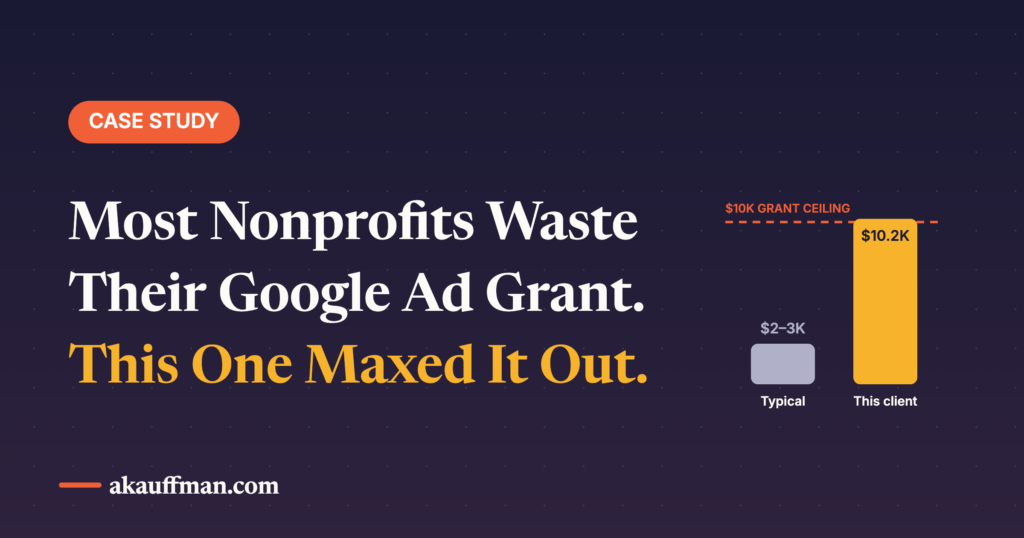
Google will give a qualifying nonprofit up to $10,000 a month in Search advertising, every month, for free. That’s up to $120,000 a year. In my experience most eligible organizations either don’t know the program exists, applied once and got stuck, or have an account that quietly spends $600 of the $10,000 because nobody’s touched it since the volunteer who set it up left.
I’ve been doing more Ad Grants work lately, and the pattern is consistent: getting funded is the easy part. Staying funded, and actually spending the money on things that matter, is where organizations need a partner. Here’s the whole picture, from eligibility to the rules that quietly turn the grant off.
What the grant actually is
Google Ad Grants is in-kind Search advertising: text ads on Google.com results pages, up to $10,000 USD per month, pre-loaded into a Google Ads account once you’re approved. There’s no spend requirement, and unused budget doesn’t roll over. Grant ads run in a separate auction, below paid ads, so a grant account never competes with a standard paid account, and Google explicitly encourages running both.
Two things that surprise people. First, the grant is built around Search intent: text ads on results pages, no Display or YouTube inventory, no remarketing inside the grant account. The one recent exception is Performance Max, which Google added as a second campaign type (more on that below). Second, that “separate auction below paid ads” detail matters. On competitive donation terms you’ll often be on page one but below the advertisers paying cash. On mission and service terms, where few people bid, you’ll frequently own the page.
Who qualifies
Per Google’s eligibility guidelines, a US organization needs current 501(c)(3) status (or proven affiliation with a group-exempt central nonprofit), verification through Google’s validation partner Goodstack, and agreement to the Google for Nonprofits terms. Not eligible: government entities, hospitals and healthcare organizations, and schools and universities, though the charitable foundations attached to hospitals and schools are. Fiscally sponsored organizations without their own 501(c)(3) are also out.
Then there’s the website policy: you need a site you own, with substantive content that describes the mission, and commercial activity can’t be its purpose. This is where a surprising number of applications stall. A two-page site with a donate button and a mission statement is not enough. If the site is thin, fix that before you apply; it’s also the site your ads will be graded against later.
How to get funded, step by step
1. Apply for Google for Nonprofits
Sign up with an account you’ll still control in five years, meaning an organizational Google account, not a board member’s Gmail. Have your EIN and IRS determination letter ready. Goodstack verifies you; this is the step that can take a while if your public records are messy.
2. Activate Ad Grants inside Google for Nonprofits
Once approved, open the Google for Nonprofits dashboard, activate Ad Grants, complete the short eligibility flow and submit your site for review. If you already have a Google Ads account, you’ll want a clean grant-specific account rather than trying to convert a paid one.
3. Set up conversion tracking before you build a single campaign
This is the step everyone skips and the one Google enforces hardest. Grant accounts must track at least one meaningful conversion and record at least one per month. Google’s list of what counts includes donations, volunteer and email sign-ups, event registrations, petitions, information requests and calls. What does not count as a primary conversion: time on site, page views, homepage visits. Use the Ad Grants conversion tracking guide and wire it through GA4 or Google Ads tags before launch.
4. Build campaigns that satisfy the structure rules
Google’s account management policy requires specific geo-targeting (a food bank shows ads in its county, not nationwide), at least two ad groups per campaign, at least two sitelinks, and conversion-based Smart Bidding on every campaign: Maximize Conversions, Maximize Conversion Value, Target CPA or Target ROAS. Manual bidding isn’t an option for accounts created since 2019. If you’re starting cold, Google allows Maximize Clicks briefly to gather data, but the expectation is that you switch once you have 15 to 30 conversions in a 30-day window.
5. Write keywords that would survive an audit
The compliance guide is specific: no single-word keywords (your brand name and a few approved exceptions aside), no overly generic keywords like “free videos” or “e-books,” and nothing with a Quality Score of 1 or 2. Mission-based, multi-word, intent-bearing phrases only. Set an automated rule to pause anything that drops to QS 1 or 2 so a bad keyword can’t take the account down while you’re not looking.
The new option: Performance Max inside the grant
For most of the program’s life, “Ad Grants” meant Search campaigns and nothing else. Google’s own setup guide now offers two campaign types when you click Create: Search or Performance Max. Google frames the split simply: PMax when you have a specific conversion goal (donations, volunteer sign-ups), Search when the goal is broader traffic to programs and services.
Grant PMax is not the PMax paid advertisers get. Google notes that Ad Grants Performance Max campaigns “may not be eligible to serve on all inventory,” and in practice grant PMax has been serving on Search and Maps placements rather than the full YouTube-and-Display sprawl. Think of it as an automated Search-plus-Maps campaign: you supply headlines, descriptions, images, at least two sitelinks and optional audience signals, and Google AI assembles the ads and picks the queries. Structure rules still apply, and the same $329-a-day account ceiling is shared across every campaign you run.
My take: it’s a real upgrade for small teams, and a trap for the same reason PMax is a trap anywhere. It will find donation and sign-up conversions you’d never have keyworded your way to, and it will do it with almost no maintenance. It will also happily spend grant budget on your own brand name and on queries you can’t see as clearly as in a Search campaign. Run it alongside Search, not instead of it: keep brand and core program terms in Search where you control the keywords, give PMax the conversion goal and the long tail, and watch the search terms and asset reports monthly. I covered the visibility problem in how PMax reporting changed; the same discipline applies with free money.
The rules that turn the money off
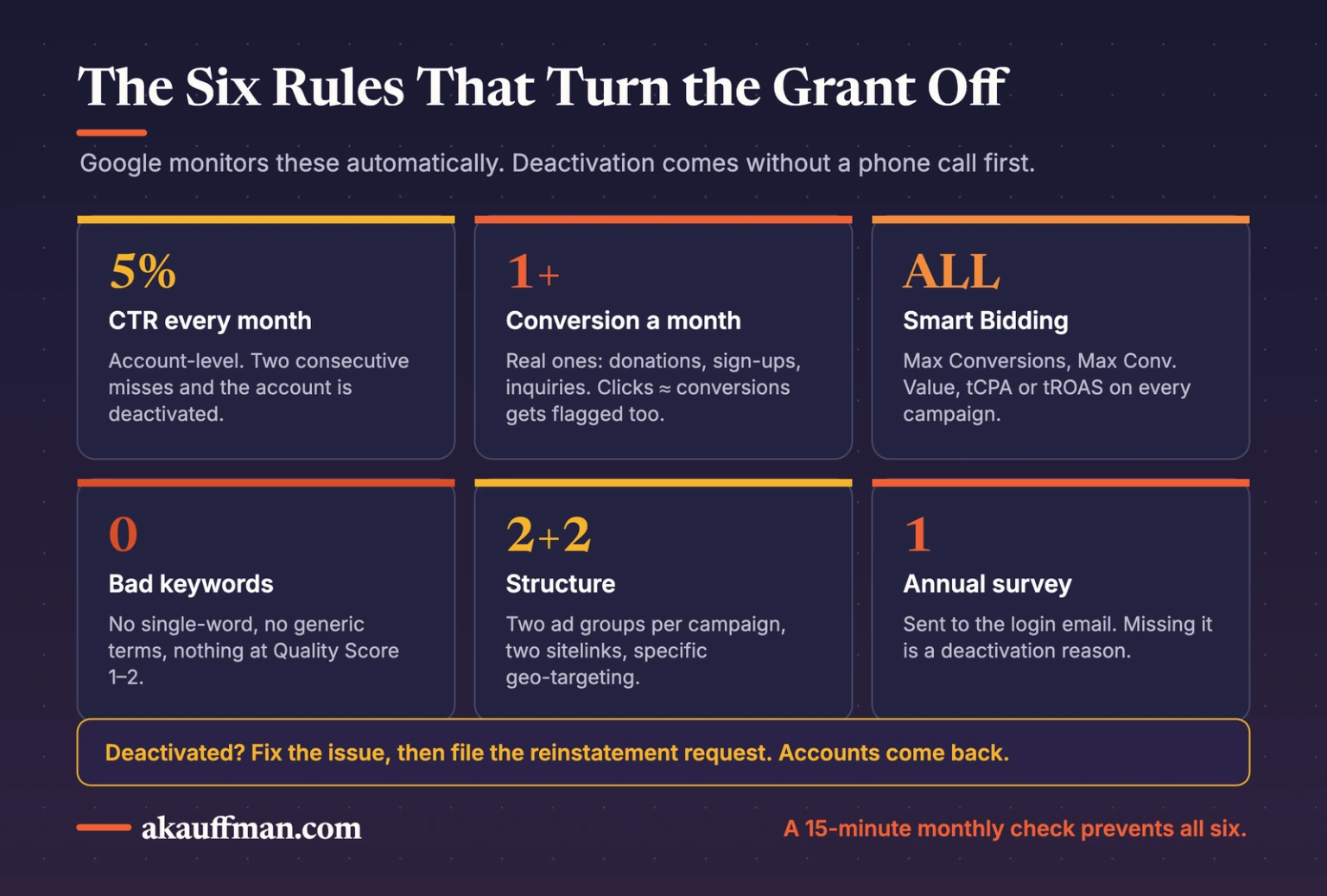
Here’s the part most “how to apply” guides leave out. The grant is conditional, Google monitors it automatically, and violations lead to deactivation without a phone call first.
The 5% click-through rate. Accounts not running exclusively on Smart Campaigns must hold a 5% CTR at the account level every month. Miss it two months in a row and the account is temporarily deactivated. That’s a high bar for Search; it’s achievable only with tight keywords, specific ad copy, and a willingness to pause high-impression terms that don’t click even if they feel important.
Conversion tracking has to be real. Zero conversions in a month is a violation. So is a conversion rate that’s suspiciously high, which Google reads as a page-view “conversion” masquerading as a real one. If your clicks and conversions are nearly equal, expect trouble.
The annual survey. Every grantee has to complete Google’s program survey. It arrives by email to the account login, it’s easy to miss, and not completing it is a deactivation reason. Put the login email in a shared inbox.
If an account does get switched off, it isn’t gone: fix the issue and file the reinstatement request. I’ve brought back accounts that had been dark for a year.
The grant is not a check. It’s a media account with rules, and the rules are the job.
The balanced take
Ad Grants is one of the best deals in nonprofit marketing and it’s worth every hour of setup. Two honest caveats. The $10,000 is a ceiling, not a promise: most accounts spend a fraction because mission keywords have limited search volume and the grant auction sits below paid. And Search only reaches people already looking; it won’t build awareness for a cause nobody searches for. For most organizations the right shape is a grant account for mission and service intent, plus a small paid account for donation-season competitiveness and remarketing, and Google says as much in its own FAQ.
What I’d prioritize in the first 90 days
1. Conversions that reflect the mission, not the dashboard
Volunteer sign-ups, program inquiries, event registrations and donations, tracked separately. This is the same discipline as checking whether your targets are targets: the number you optimize toward has to be a number the organization actually wants.
2. Service and program campaigns before donation campaigns
“Free tax help near me” and “how to foster a dog in Denver” are cheap, high-CTR, mission-aligned, and they’re where the grant shines. Donation terms are where paid advertisers live; run them, but don’t expect the grant to carry year-end alone.
3. A monthly compliance check
Account-level CTR, keyword Quality Scores, conversions in the last 30 days, sitelinks live, two ad groups per campaign, survey status. Fifteen minutes a month prevents the reinstatement scramble.
4. Landing pages that match the query
Grant traffic lands on whatever page you point it at, and the website policy keeps grading your site. A dedicated page per program with a clear next step beats sending everything to the homepage, both for conversions and for Quality Score.
My POV
Nonprofits treat the grant like a grant: apply, celebrate, move on. Google treats it like an ad account: monitor, enforce, deactivate. The gap between those two mindsets is where $120,000 a year goes unused. The organizations getting real value have someone, staff or partner, who runs it like paid media with a compliance layer on top. That’s not a vendor’s job. That’s a partner’s, and it’s exactly the kind of work I do.
The bottom line
If you’re a 501(c)(3) with a real website, you can likely be approved for $10,000 a month in Google Search ads within a few weeks. Set up conversion tracking first, build mission-based campaigns with Smart Bidding, keep the CTR above 5%, answer the survey, and pair it with a small paid account when it’s time to compete. Do that and the grant stops being a line item and starts being a channel.
Related reading: What does a fractional marketing partner actually do? · A health check for your target ROAS and CPA
Running a nonprofit and want the grant working?
I’ll check your eligibility, review your site against the website policy, and map the first three campaigns. If you already have an account, I’ll tell you in one call whether it’s compliant and what it should be spending. Book a call.